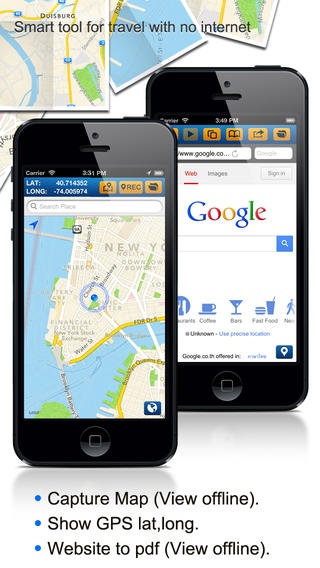
About 2pdf
CREATE PDF from map and web. Get latitude and longitude of your current position or pin. You can send locations to your friends with URL Maps Link to your friends via SMS or Email. Further more you can capture map or save...
CREATE PDF from map and web. Get latitude and longitude of your current position or pin. You can send locations to your friends with URL Maps Link to your friends via SMS or Email. Further more you can capture map or save website to PDF for offline view. Map Features: - Show latitude and longitude. - Screen capture for map. - Search by GPS or location. - Drag and drop the pin. - Search Bookmarks. - Easily locate your positions. - Send SMS & Email within App. - Directions Google Maps link. - No limit number of records. Browser Features: - You can save web to PDF, so you can view them offline. - You can store unlimited number of bookmarks in the app - You can pinch and zoom to see more details on the page. - You can watch videos on the page or in full-screen like Safari. PDF Features: - Create unlimited number of folders. - Share PDF via Email - Add caption - Search PDF by caption.
Requires iOS 5.0 or later. Compatible with iPhone, iPad, and iPod touch.
Previous Versions
Here you can find the changelog of 2pdf since it was posted on our website on 2016-10-04 14:46:56.
The latest version is 1.0 and it was updated on 2024-04-19 21:24:25. See below the changes in each version.
2pdf version 1.0
Updated At: 2013-01-14
Disclaimer
Official App Store Link
We do not host 2pdf on our servers. We did not scan it for viruses, adware, spyware or other type of malware. This app is hosted by Apple and passed their terms and conditions to be listed there. We recommend caution when installing it.
The App Store link for 2pdf is provided to you by apps112.com without any warranties, representations or guarantees of any kind, so access it at your own risk.
If you have questions regarding this particular app contact the publisher directly. For questions about the functionalities of apps112.com contact us.